Holi 2026 wishes: How to make custom Holi stickers on WhatsApp? Read step-by-step easy guide

Known as the Festival of Colours, Holi marks the arrival of spring and symbolizes the triumph of good over evil.

Written by: Sumaila Zaman Edited by: Sumaila Zaman
Published: March 4, 2026, 10:23 AM IST

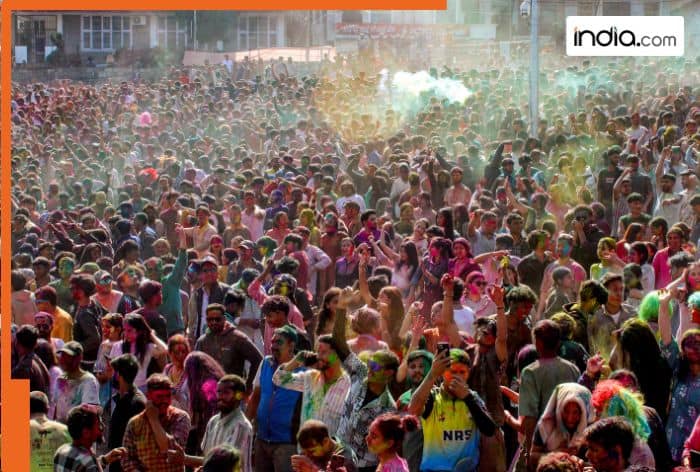
India is celebrating Holi today, March 4, 2026, with enthusiasm across the country. Known as the Festival of Colours, Holi marks the arrival of spring. Furthermore, it symbolises the triumph of good over evil. On this day, people smear each other with gulal. They even splash coloured water, dance to festive music, and exchange warm greetings. Gujiya and thandai are often made in every household. Communities are organising cultural events and celebrations. From bustling metropolitan cities to small towns and villages, the spirit of joy, unity, and new beginnings is visible everywhere as India immerses itself in one of its most cherished festivals.

You can add colours to your text messages as well. Instead of just sending a simple text “Happy Holi” like in past years, you can create your own stickers or use stickers that have been created for you to include your name and/or a selfie, as well as a fun saying associated with Holi. WhatsApp now allows you to create your own custom sticker, as well as create and share it with friends. This means you will not need to download a third-party application to do this.

Read More: Holi 2026: 8 Interesting facts about the festival of colours every student should know

Are you interested in learning how to create Holi 2026 Stickers using Meta AI? Here is a step-by-step guide on how to do it.

Holi 2026 wishes: How to make custom Holi stickers on WhatsApp? Read the step-by-step easy guide

To send a sticker in WhatsApp, open the app on your mobile phone and go to the individual/group chat you wish to send it to.

Read More: Holi 2026: Delhi Metro timing revised, Namo Bharat, Meerut Metro to run from 5 pm; Liquor shops to remain open

  • Tap the emoji icon in the message input area, then tap the sticker tab located in the upper-right corner.
  • Select the ‘Create’ button directly under the search field and choose ‘Use AI to create a sticker.’
  • Press the “Create” button or the plus (+) icon in the Stickers section. On certain versions of WhatsApp, this may be labeled as “AI Stickers.”
  • To create a personalized Holi 2026 sticker, type in a phrase that describes how you would like this sticker for Holi 2026, such as “Holi 2026 sticker featuring gulal and the Colours” or “Holi sticker featuring the people with text for Happy Holi.’
  • WhatsApp will generate a group of different kinds of stickers based on the phrase you entered above.
  • By tapping on the sticker you select, it will be sent to your friend immediately. The sticker you selected will also be saved in your “Recent Stickers” list. Once you create your stickers with AI, you can always save them for later. You can also view and send your previously created stickers through WhatsApp. When creating stickers with AI, there’s a chance the designs may not turn out as intended. If there is a sticker that looks or feels like it’s not appropriate or feels wrong to you, please don’t hesitate to report the sticker from the same app.
  • If you want to use pre-made stickers, WhatsApp has a selection of Holi sticker packs that you can find in the sticker store section ‘All Stickers’. You can easily save them to your collection in just one

Add India.com as a Preferred Source Add India.com as a Preferred Source

For breaking news and live news updates, like us on Facebook or follow us on Twitter and Instagram. Read more on Latest India News on India.com.

By clicking “Accept All Cookies”, you agree to the storing of cookies on your device to enhance site navigation, analyze site usage, and assist in our marketing efforts Cookies Policy.